




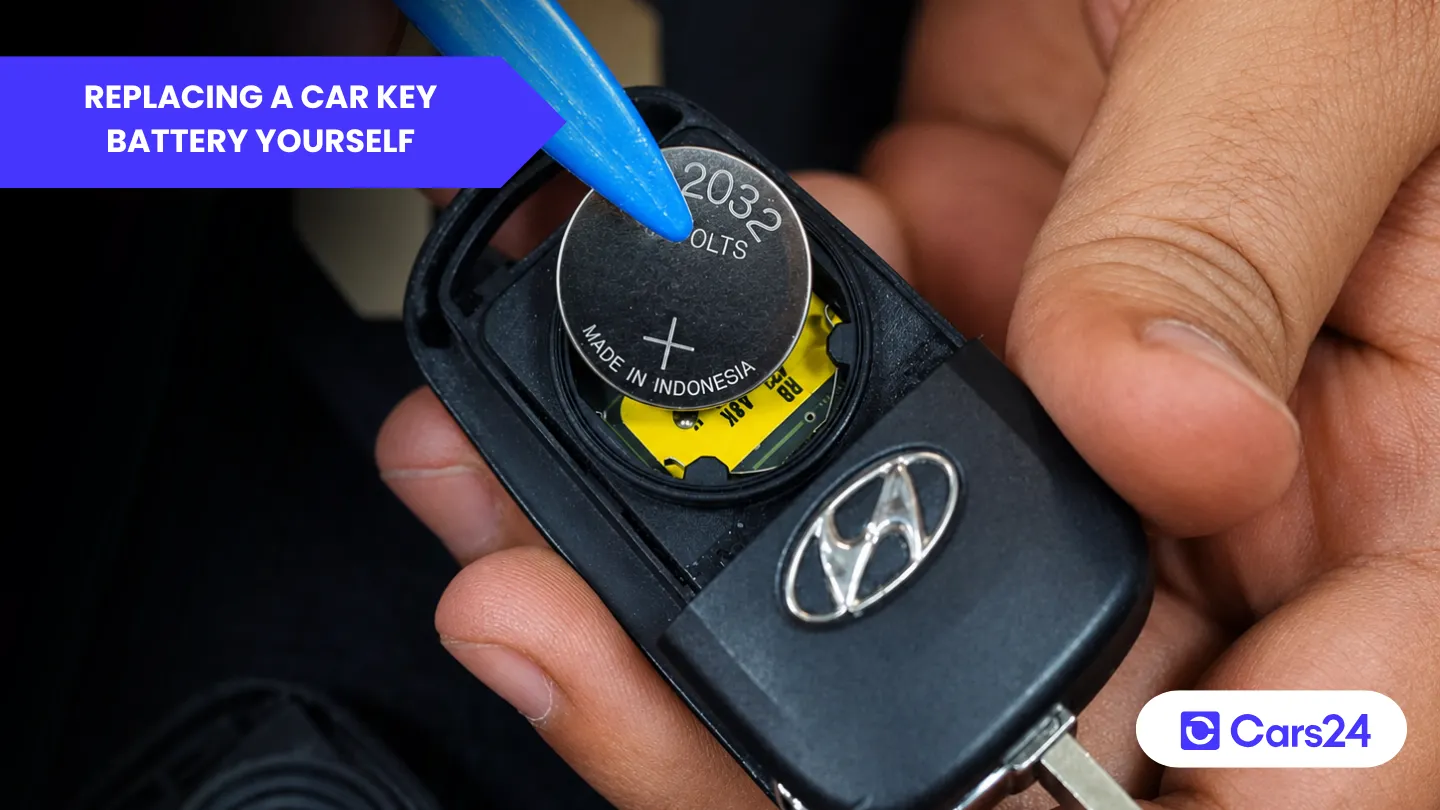
You usually don’t think about your car key battery until the day the buttons suddenly stop working in the car park. Then the panic kicks in. Is the battery dead, is the key damaged, or has the car somehow forgotten the fob altogether? And when you try opening the remote, it can feel like a tiny plastic puzzle designed to snap the moment you touch it. But most car key fob problems are simpler and cheaper to fix than you expect.
In many cases, all you need is a new button battery (like a CR2032) and a careful way to open the casing without damaging the clips. Here is how to replace a car key battery yourself; most jobs take under 5 minutes.
What is a car key battery?
A car key battery is commonly called a button or coin cell battery. The most common sizes you’ll find at local retailers include:
- CR2032: Most standard coin size for key fobs
- CR2025: Thinner version common in many modern proximity keys
- CR1620: Smaller diameter battery often used by Mazda or Toyota
The last four digits of these button battery codes indicate different battery dimensions. You may need to replace your car key battery if it shows reduced range, intermittent operation, or no response. And if you have lost your car key, this guide is for you.
How to replace a car key battery yourself?
You can replace a car key battery yourself for $3-$15 (AUD) by first identifying the fob type (folding, switchblade, proximity, card, or laser-cut) and opening it using a seam pry, a hidden screw, or a sliding cover.
Use a plastic pry tool, photograph battery orientation, and replace with the same battery code (e.g. CR2025). Install a fresh button battery, reassemble carefully, test before fully sealing, and drop the old battery for recycling.
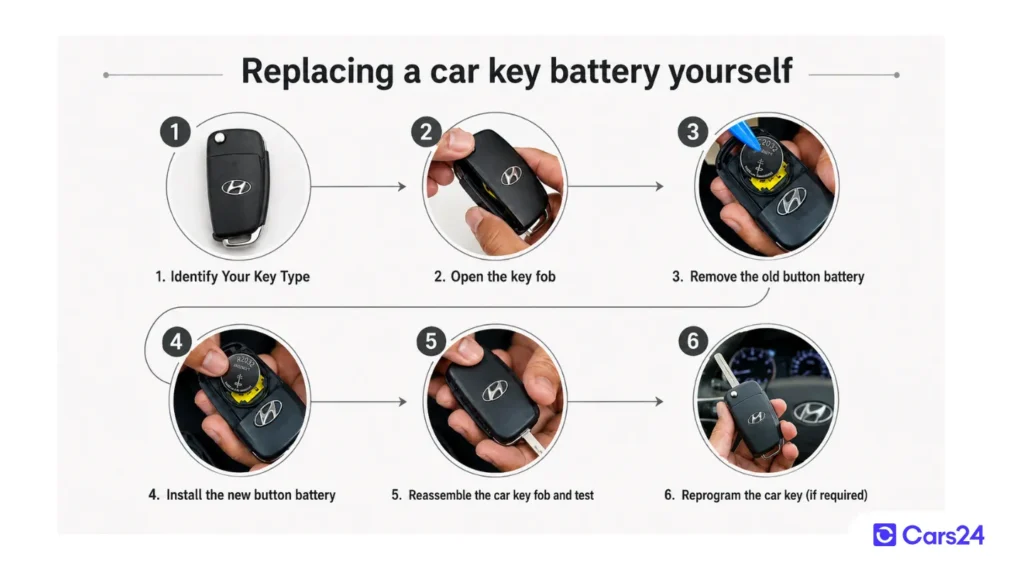
Here is a more detailed step-by-step approach to replacing a car key battery yourself:
Gather your tools before you start replacing a car key battery:
- Small flathead screwdriver (eyeglass screwdriver size) to pry open the key fob
- Plastic prying tool (or an old guitar pick, credit card, or butter knife) to avoid scratching the plastic
- Small container or magnetic tray so you don’t lose tiny screws or springs
- And a new button battery
You can identify the battery type by checking the battery surface for a code, inspecting the fob casing, reading the car’s manual, or researching online.
Tip: Buy a reputable brand (Panasonic, Sony, Energizer, Maxell) button battery for your car key for its reliable, long-term operation.
Step 1: Identify Your Key Type
Look at your key and open it accordingly.
| Key type | How to open it |
|---|---|
| Folding key | Pry along the seam |
| Switchblade key | Remove the hidden screw before separating the halves |
| Smart proximity key | Pry near the emergency key slot |
| Card key | Check the owner’s manual; some are not user-serviceable |
| Laser-cut key | Pry along the seam to access the battery |
Many modern proximity keys have a hidden metal key blade inside the fob. This is your backup to unlock the door manually. It also often provides the pry point to open the fob.
Step 2: Open the key fob (the trickiest part)
Method 1: Pry open the seam (most common)
Locate the seam around the middle of the fob and insert a plastic pry tool into the gap. Twist gently and work your way around the casing until the clips release and the two halves separate. Start near a corner or the emergency key slot, where the gap is usually widest.
Method 2: Remove the hidden screw (common on switchblade keys)
Some switchblade keys use a small Phillips or Torx screw to hold the casing together. Check the side, bottom, or behind the logo badge, then remove the screw before separating the two halves.
Method 3: Slide open the battery cover
Some proximity keys have a small sliding battery cover on the back instead of a clip-style casing. Look for a textured section or arrow, then press and slide the cover open.
Step 3: Remove the old button battery
Once the key fob is open, you’ll see the button battery secured by a small metal clip or tab. Before removing it, take a quick photo to reference the battery orientation during reassembly. Use a small screwdriver or toothpick to gently pry the battery out from one edge, taking care not to touch both terminals at the same time with a metal tool.
Note the battery code print: Usually CR2032 (20mm diameter, 3.2mm thick), CR2025 (20mm wide, 2.5mm thick), or CR2450 (24mm wide, 5mm thick). Match the new battery exactly. A CR2025 is thinner and won’t make proper contact in a CR2032 slot.
Also note the orientation: The positive (+) side usually faces up (toward the buttons) or down (toward the back cover). Your photo will tell you later.
Step 4: Install the new button battery
Check the replacement battery’s expiry date before installing it, and handle it by the edges to avoid transferring oils onto the contacts. Insert the new battery in the same orientation as the old one, then press it gently into place until it sits securely under the retaining clip.
Tip: Clean the battery contacts with isopropyl alcohol or methylated spirits to remove corrosion and improve connection quality.
Step 5: Reassemble the car key fob and test
Before reassembling the key fob, check that no rubber buttons, springs, or small clips have come loose while opening it. Align both halves carefully and ensure the button membrane is sitting properly before pressing the casing back together until all clips click into place. Reinstall any screws gently without overtightening them.
Tip: Test the key before fully sealing the fob. If the buttons respond normally or the car reacts to the remote, the battery is installed correctly.
Step 6: Reprogram the car key (if required)
Most cars in Australia do not need reprogramming after a battery replacement, as the key’s ID is stored independently of the battery. However, some vehicles may require a quick resync procedure.
In many Toyota, Lexus, Subaru, and older Ford models, this usually involves pressing the lock or unlock button and turning the ignition to the “ON” position within a few seconds.
For many Ford, Mazda, Nissan (2016 and later):
- Hold the key near the start button.
- Press the start button with the key itself.
- The car should recognise it.
If the key still does not work after a battery change, check your owner’s manual for the key synchronisation procedure, which usually involves pressing specific button combinations or cycling the ignition on and off.
Proper disposal of the old car key button battery
Do not throw old button batteries in the household bin. Recycle them properly, as they can be hazardous to children, pets, and the environment.
Take your old battery to a hazardous waste drop-off or any battery recycling bin at Woolworths, Coles, Bunnings, ALDI, Officeworks, or your local auto parts store.
Readers also asked: How do I unlock a car door if I’ve locked the keys inside?
How to unlock and start your car manually if your remote car key battery fails?
If your car key fob battery dies, you can still unlock and start most modern cars using the backup systems built into the key. The key (pun intended) here is to use the physical key blade and passive induction chip to unlock the door and start a Push-to-Start car, respectively.
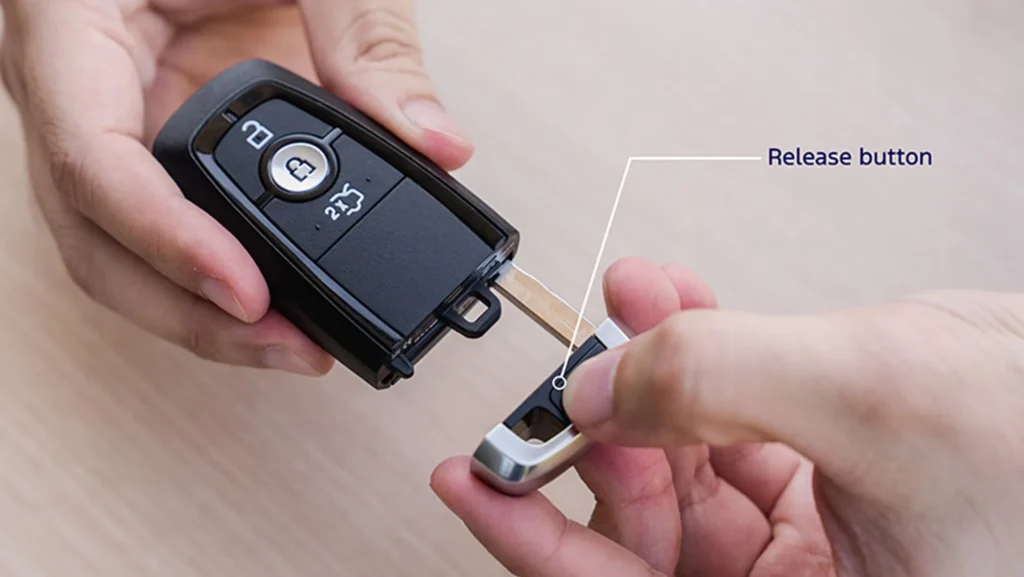
Remove the hidden physical key blade from the fob and use it to unlock the driver’s door. On many cars, the keyhole sits behind a small plastic cover near the handle.
Once inside, hold the dead key fob against the start button or place it in the car’s backup detection area, such as the centre console or cup holder, before pressing the brake and starting the engine normally. Even with a flat battery, the car can still detect the passive chip inside the key.
If your car still doesn’t start, your car’s 12V battery may be flat, or it could be a factory defect. We’ve written a separate guide on jump starting your car or start it by pushing it.
How much does it cost to replace a car key fob battery?
Replacing a car key battery typically costs between $3 and $35 in Australia, depending on whether you do it yourself or pay for a professional installation service. DIY costs can range from $3 to $15, locksmiths from $15 to $30, and car dealerships can charge $25 to $35+.
Buy your next car through Cars24 with great deals on used cars across Australia.
FAQs about replacing car key batteries
1. Do I need to reprogram my car key if I replace the battery?
Typically, no. The key’s unique ID is stored in permanent memory. A battery change does not erase it. Just replace the battery, and it works.
2. Can I drive my car if the key fob battery dies?
Yes. Use the physical key blade to unlock the door, then hold the dead fob against the Push-to-Start button (or insert it into the ignition slot). The car reads the passive chip and starts normally.
3. Does Bunnings do car key battery replacement?
No. Bunnings sells the batteries (CR2032, etc.) but does not fit them. You can do it yourself in 2 minutes or go to a locksmith, chemist, or jeweller.
4. What kind of battery does a Mazda 2 key take?
CR2025 (most Mazda 2 models 2015 onwards). Earlier models (pre-2015) may use CR1620. Check your old battery to confirm.
5. What battery for the Nissan key fob?
Most modern Nissan car key fobs use CR2032. Some older car models use CR2025. Check the battery in your fob before buying.
6. Can I use a CR2032 in my Mazda key fob?
Yes, only if your Mazda car key takes that size. If your original battery is CR2025 (thinner), a CR2032 is too thick and will not fit or damage the contacts. Match the code exactly.
7. Can I replace my Mazda key fob battery myself?
Yes. Pry open the fob at the seam near the emergency key slot, swap the CR2025 button battery, and snap it closed. Two minutes, no tools except a flathead screwdriver or the emergency key itself.

Comments
New Comment